

The Canada eTA application form is divided into distinct sections that collect your personal details, passport information, contact address, employment history, and background declarations. Understanding what each section asks before you begin filling out the form helps you avoid errors, speeds up completion, and reduces the risk of delays or refusals.
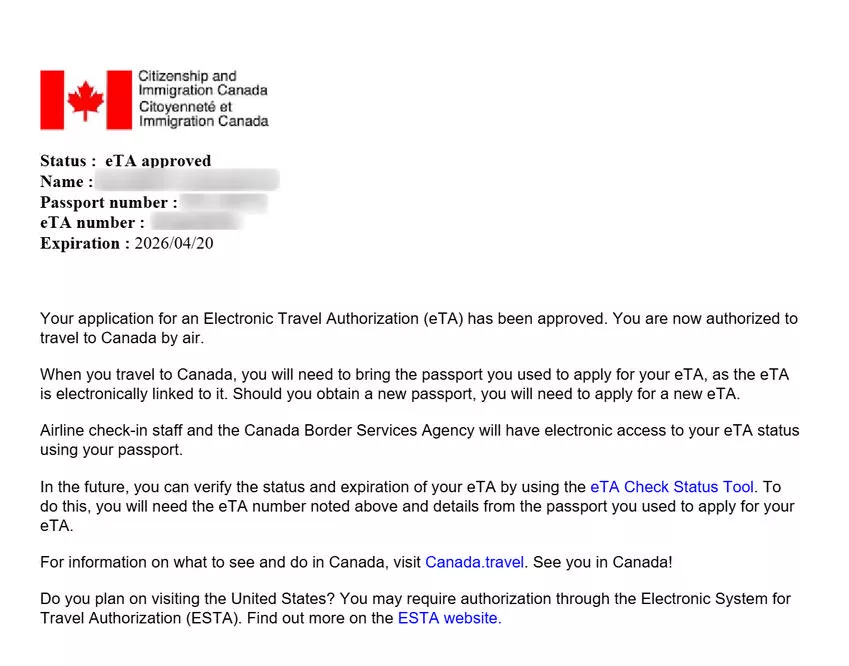
This guide breaks down every section of the official IRCC eTA application form, field by field, so you know exactly what to expect when you sit down to apply.
Overview of the Canada eTA Application Form Sections
The Canada eTA application form contains seven main sections that you complete sequentially on the official Government of Canada website. The form is hosted on canada.ca and is available only in English and French. You cannot save your progress and return later – you must complete the entire form in one session.
The seven sections of the eTA application form are:
- Eligibility check – confirms you are eligible for an eTA
- Personal information – your name, date of birth, gender, and nationality
- Passport information – your passport number, issuing country, and dates
- Contact information – email, phone number, and home address
- Employment information – current job status, employer details
- Travel and immigration history – previous visits to Canada, prior applications
- Background and security questions – criminal record, health, and security declarations
The entire form takes approximately 10 to 20 minutes to complete if you have your passport and payment card ready. Each section loads on a separate page, and you must complete each page before moving to the next.
Section 1: Eligibility Check
The eligibility check is the first screen you see after clicking “Apply for an eTA” on the official IRCC website. This section asks a few preliminary questions to confirm you are eligible for an eTA rather than a full visa.
Fields in this section:
- Country of citizenship – select the country that issued your passport from a dropdown menu. Only citizens of visa-exempt countries can proceed with an eTA application. If you select a visa-required country, the system redirects you to the visitor visa application
- Do you hold a valid Canadian visa? – if you already have a Canadian visa, you do not need an eTA. Selecting “Yes” ends the eTA application
- How will you travel to Canada? – the eTA is only for air travel. If you select “Land” or “Sea,” the system informs you that an eTA is not required
Tips for this section:
- Select the citizenship that matches the passport you will use to fly to Canada. If you hold dual citizenship, use the passport from your visa-exempt country
- If you are a US permanent resident (green card holder) from a visa-required country, you may qualify for an eTA under Canada’s expanded eTA program launched in 2023. Check your eligibility on the IRCC website
- If you are a US citizen, you do not need an eTA at all – you need only a valid US passport. See our Canada eTA for US citizens guide for details
Section 2: Personal Information
The personal information section collects your full name, date of birth, gender, country of birth, and citizenship details. This is the section where accuracy matters most – every entry must match your passport exactly.
Fields in this section:
- Family name (surname): Enter your surname exactly as printed on your passport’s biographical page. Do not use nicknames, abbreviations, or translated versions of your name
- Given name(s): Enter all given names as shown on your passport, including middle names. If your passport lists a middle name, you must include it here
- Date of birth: Select from three dropdown menus (day, month, year). Use the date shown on your passport
- Country of birth: Select from a dropdown menu. Enter the country where you were born, not your current country of residence
- City of birth: Enter the city listed on your passport. If your passport shows a different spelling than you normally use, use the passport spelling
- Gender: Select from the available options (male, female, or other). Use the gender shown on your passport
- Country of citizenship: This is pre-filled from your eligibility check. Confirm it matches the passport you are using
- Current country of residence: The country where you currently live, which may differ from your citizenship country
Common mistakes in this section:
| Mistake | Consequence | How to Avoid |
|---|---|---|
| Missing middle name | Name mismatch with passport, delays | Copy all names from passport |
| Using nickname instead of full name | Application flagged for review | Use the exact passport spelling |
| Wrong date of birth format | Data mismatch with airline records | Use dropdown menus carefully |
| Entering birth country incorrectly | Information mismatch | Select the country on your passport |
Section 3: Passport Information
The passport information section collects the specific details from your passport’s data page. The eTA is electronically linked to your passport number, so every digit and letter in this section must be correct.
Fields in this section:
- Passport number: Enter the number exactly as printed on your passport’s data page. This number typically contains both letters and numbers. Double-check every character – a single wrong digit makes your eTA invalid
- Country that issued the passport: Select from the dropdown menu. This is the country that printed your passport, which is the same as your citizenship country for most applicants
- Date the passport was issued: Select from dropdown menus. The issue date is printed on your passport’s data page
- Passport expiry date: Select from dropdown menus. Your passport must be valid for the duration of your stay in Canada. If your passport expires soon, renew it before applying for the eTA
Critical rules for this section:
- The passport number field is the number one source of eTA errors. Copy the number directly from your passport rather than typing from memory
- If your passport contains the letter “O” and the number “0” (zero), check carefully which one appears in your passport number
- Your eTA is tied to this specific passport. If you get a new passport after your eTA is approved, the eTA becomes invalid and you must apply for a new one
- If you hold multiple passports, use the one from your visa-exempt country. The eTA is linked to one passport only
For a complete list of passport requirements, see our Canada eTA requirements guide.
Section 4: Contact Information
The contact information section collects your email address, phone number, and home address. IRCC uses your email address as the primary method of communication for all eTA-related correspondence.
Fields in this section:
- Email address: A valid email address that you check regularly. Your eTA approval or refusal notification will be sent here. IRCC may also email you if additional documents are required
- Phone number: Your home or mobile phone number, including the country code. IRCC uses your phone number only if they need to reach you and cannot do so by email
- Home address: Your current residential address, including street address, city, state or province, postal code, and country
Tips for this section:
- Use an email address you have immediate access to – you may need to check it for a confirmation code or follow-up requests from IRCC
- If you do not receive a response within 72 hours, check your spam or junk folder. IRCC approval emails occasionally end up there
- Enter your current residential address, not a mailing address or work address
- If you live in a country that does not use postal codes, you can typically leave the postal code field blank or enter “000000” depending on the form’s requirements
Section 5: Employment Information
The employment information section asks about your current job status and employer details. IRCC uses this information to assess your ties to your home country and evaluate whether you have reasons to return after your visit to Canada.
Fields in this section:
- Current employment status: Select from options including Employed, Self-employed, Retired, Student, Homemaker, or Unemployed
- Employer name: The full name of your current employer (if employed or self-employed)
- Employer address: The address of your workplace or business (if employed or self-employed)
- Job title: Your current position or occupation title
How to complete this section:
- If you are employed, enter your employer’s full legal name and the address of your workplace. Use your official job title, not an informal one
- If you are self-employed, enter your business name as the employer and your business address. For your job title, use your professional title such as “Consultant,” “Business Owner,” or “Freelance Designer”
- If you are retired or unemployed, simply select the appropriate status. You will not need to fill in employer fields. There is no penalty for not having a job – the question is about your ties to your home country, not about requiring employment
- If you are a student, select “Student” and enter the name and address of your school or university
Important: IRCC does not judge your occupation when processing your eTA. The employment section exists to help assess your overall profile and ties to your home country. Answer honestly regardless of your employment status.
Section 6: Travel and Immigration History
The travel and immigration history section asks about your previous visits to Canada and any prior Canadian visa or eTA applications. These questions help IRCC identify patterns in your travel history and flag any previous immigration issues.
Questions in this section:
- Have you previously been to Canada? – A yes/no question. If you answer “Yes,” you may be asked for approximate dates of previous visits
- Have you previously applied for a Canadian visa or eTA? – This includes any type of Canadian immigration application, whether approved or refused
- Have you been refused a visa or eTA for Canada, or been refused entry to Canada? – A yes/no question. You must disclose all previous refusals, regardless of how long ago they occurred
- Have you ever overstayed a visa in any country? – This covers overstays in any country, not just Canada
- Have you ever been deported or removed from any country? – Includes deportations from any country worldwide
How to answer this section:
- Answer every question honestly. IRCC keeps permanent records of all immigration decisions and cross-references applications with international databases. A previous refusal does not automatically disqualify you from getting an eTA, but failing to disclose one is considered misrepresentation and can result in a five-year ban
- If you answer “Yes” to any question, you may be asked to provide additional details. Be specific and accurate in your explanation
- A previous eTA refusal does not mean your new application will also be refused. Circumstances change, and IRCC evaluates each application individually
- For more details on what happens if your application faces issues, see our Canada eTA status guide
Section 7: Background and Security Questions
The background and security questions section is the final and most critical part of the eTA application form. These yes/no questions cover your criminal record, health status, and security history. A “yes” answer to any question in this section triggers a manual review of your application.
Questions in this section:
- Have you ever committed, been arrested for, been charged with, or been convicted of a criminal offence in any country? – This includes all criminal offences, including DUI/DWI charges. Canada treats impaired driving as a serious criminal offence. It also includes offences that may have been pardoned or expunged in your home country
- Have you ever been refused entry to or deported from any country? – Covers all countries, not just Canada
- Have you ever had tuberculosis or been in close contact with someone who has? – A health screening question. If you were treated and cured, you may still answer “Yes” and provide details
- Do you have a serious medical condition that requires ongoing treatment? – Health-related question used for inadmissibility screening
- Have you ever been a member of, or associated with, a group that has committed or threatened to commit acts of violence? – Security-related question
- Have you ever been involved in war crimes, crimes against humanity, or genocide? – A yes/no security question
| Background Question Type | If You Answer “Yes” | Typical Outcome |
|---|---|---|
| Criminal offence | Manual review required | May need Criminal Rehabilitation or TRP |
| Previous deportation | Case-by-case assessment | May need additional documentation |
| Health condition | Medical assessment may be required | Depends on condition severity |
| Security concerns | Thorough background check | Could result in refusal |
How to handle this section:
- Always answer honestly. IRCC uses international databases, including Interpol, to verify your answers. A false “no” on a background question is far more damaging than a truthful “yes”
- A “yes” answer does not mean automatic refusal. It means your application will be manually reviewed by an IRCC officer who assesses your specific situation
- If you have a DUI conviction, you must disclose it. You may be eligible for Criminal Rehabilitation (if the offence occurred more than five years ago) or a Temporary Resident Permit (TRP)
- If you are unsure whether a past incident counts as a “criminal offence,” disclose it. Over-disclosing is always safer than risking detection for hiding information
- For detailed guidance on criminal inadmissibility, see our Canada eTA with criminal record guide
Review and Submit: Final Step After Completing All Sections
After you complete all seven sections, the system displays a summary page showing every answer you entered. This is your last chance to correct errors before paying and submitting.
What to check on the review page:
- Passport number – the number one source of problems. Verify every digit and letter
- Full name spelling – must match your passport exactly, including middle names
- Date of birth – confirm the day, month, and year are correct
- Email address – your eTA confirmation will be sent here. A typo means you will not receive your approval
- Passport expiry date – confirm it matches your passport
If you find an error, click “Modify” next to the relevant section to return and correct it. You can modify any section from the review page.
After reviewing, you proceed to payment of the CAD $7 application fee. Payment is accepted by Visa, Mastercard, American Express, and prepaid credit cards. The fee is non-refundable, even if your application is refused.
Upon successful payment, the system displays a confirmation screen with a reference number. Save this number – you can use it to check your eTA application status online.
Canada eTA Form Fields Summary Table
| Section | Key Fields | Tips |
|---|---|---|
| Eligibility check | Citizenship, travel method | Use visa-exempt passport |
| Personal information | Full name, DOB, gender, birth country | Match passport exactly |
| Passport information | Passport number, issue/expiry dates | Copy number directly from passport |
| Contact information | Email, phone, home address | Use email you check daily |
| Employment information | Job status, employer, job title | Be honest; no penalty for being unemployed |
| Travel history | Previous Canada visits, prior applications | Disclose all refusals |
| Background questions | Criminal record, health, security | Answer honestly; “yes” = manual review, not refusal |
Common Errors on the Canada eTA Application Form
Most Canada eTA application errors are avoidable with preparation and careful entry. The most frequent problems stem from passport number mistakes, name mismatches, and use of unofficial websites.
- Wrong passport number – a single incorrect digit or letter makes your eTA invalid and you will be denied boarding. Always copy the number directly from your passport data page
- Name does not match passport – entering “Steve” when your passport says “Steven,” or omitting a middle name, can cause a mismatch with airline records
- Using an unofficial website – dozens of third-party sites charge $50 to $150 for a service that costs only CAD $7 at the official site. Always apply at canada.ca/eta
- Applying with an expired or soon-to-expire passport – your eTA becomes invalid when your passport expires. Renew your passport first if it is close to expiry
- Lying on background questions – IRCC cross-references with international databases. Dishonest answers lead to refusal and potential five-year ban from Canada
- Not checking email after submission – if your application needs additional documents, IRCC will contact you by email. Missing this email can delay your application indefinitely
- Applying too late – while most eTAs are approved in minutes, some take up to 72 hours. Apply at least one week before your flight
For a full breakdown of all application questions, see our Canada eTA application questions guide.
FAQs About the Canada eTA Application Form
How many sections does the Canada eTA application form have?
The Canada eTA application form has seven main sections: eligibility check, personal information, passport information, contact information, employment information, travel and immigration history, and background and security questions. Each section appears on a separate page that you must complete before advancing to the next.
Can I go back and change my answers on the eTA form?
You cannot go back to a previous section while filling out the form. However, before submitting, the system shows a review page where you can click “Modify” next to any section to return and correct your answers. After submission, you cannot edit the application – you must submit a new one and pay the CAD $7 fee again.
What happens if I enter the wrong passport number on my eTA form?
If you enter the wrong passport number, your eTA will be linked to a passport that does not exist or belongs to someone else. The airline will not be able to verify your eTA when you check in for your flight, and you will be denied boarding. You cannot correct the passport number after submission – you must apply for a new eTA with the correct number and pay the fee again.
Do I need to fill in every field on the eTA form?
Yes, you must fill in all required fields on the eTA form. Fields marked as mandatory must be completed before you can advance to the next section. Background questions must all be answered – selecting “No” is a valid answer, but leaving them blank will prevent submission. Some fields like travel dates are optional.
Can someone else fill out the eTA form for me?
Yes. A family member, travel agent, or friend can complete the eTA form on your behalf, as long as they have your correct passport details and personal information. The person filling out the form must answer all questions honestly based on your actual circumstances. The applicant (you) is responsible for the accuracy of the information.
Is the Canada eTA form available in languages other than English and French?
No. The official Canada eTA application form is available only in English and French on the Government of Canada website. However, the IRCC provides translated help documents in several languages that explain what each field means. You can reference these documents while completing the form.
What if my name contains special characters or accents?
Enter your name exactly as it appears on your passport. If your passport contains special characters, accents, or hyphens, use them in the application. If the online form does not accept a particular character, use the closest standard letter equivalent. The key rule is that your name on the eTA application must match your passport as closely as possible.
Can I apply for an eTA if I do not know my exact travel dates?
Yes. The Canada eTA does not require specific travel dates. It is valid for up to five years and allows multiple entries. You can apply for an eTA even without a confirmed flight booking. The form may ask about the general purpose of your visit, but you do not need to provide exact dates of travel.
How long does it take to fill out the entire eTA form?
Most applicants complete the entire form in 10 to 20 minutes. The process is faster if you have your passport open beside you and a payment card ready for the CAD $7 fee. Applicants who need to look up employer addresses or recall travel history details may take slightly longer.
What payment methods are accepted on the eTA form?
The Canada eTA form accepts Visa, Mastercard, and American Express credit cards, as well as debit cards with Visa or Mastercard branding. Prepaid credit cards are also accepted. The fee is CAD $7 per application and is non-refundable. No other payment methods (bank transfer, PayPal, cash) are accepted.